

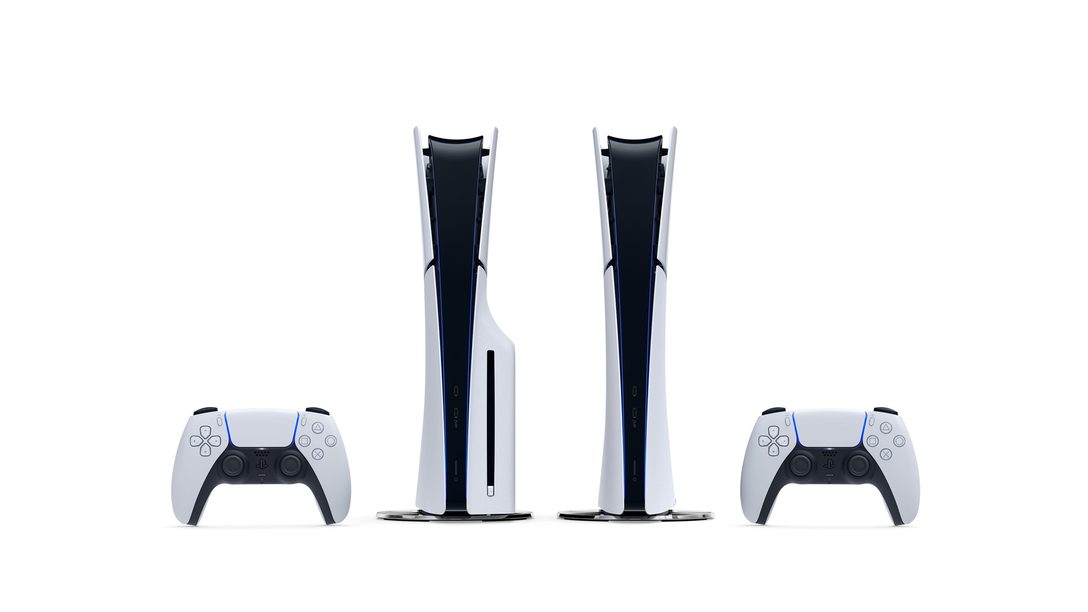
The PlayStation 5 is set to receive its next significant system update, introducing a highly anticipated new feature for wireless controller pairing. Alongside this, Sony has also teased an upcoming `Power Saver` mode, which aims to enhance the console`s energy efficiency.
In a recent announcement via their official blog, Sony reiterated that DualSense controllers and other PS5 peripherals were designed with broad compatibility in mind, supporting PC, Mac, and mobile devices. The new update further simplifies this versatility by making it much easier to pair controllers with multiple devices simultaneously. This innovation means users will be able to “easily switch between them without needing to pair each time,” as highlighted by Sony, dramatically improving convenience.
With this impending update, players will gain the ability to pair a single controller with up to four different devices concurrently. Previously, connecting a controller to a different device necessitated a complete re-pairing process each time. Sony provided a practical example: imagine seamlessly transitioning your DualSense controller from your PS5 to your PC or smartphone without any setup hassle.
For your convenience, Sony has provided the following official instructions on how to pair your DualSense controller with multiple devices and how to switch between them:
How to Pair a DualSense Controller with Multiple Devices:
- Ensure that the light bar and player indicator on your controller are off. If they are lit, press and hold the PS button until they deactivate.
- Press and hold any one of the action buttons (triangle, circle, cross, or square) and the PS button simultaneously for more than 5 seconds. The light bar and player indicator will then flash twice, confirming the pairing mode is active.
- On your desired device, enable Bluetooth and navigate to the option for adding new Bluetooth devices. Your device will now search for and detect nearby Bluetooth accessories.
- Select your controller from the list of detected devices. Upon successful connection, the light bar will illuminate, and the player indicator lights will blink to show the assigned slot number.
How to Switch Between Devices:
- Power on the device to which you intend to connect your controller.
- Press and hold any one of the action buttons and the PS button for approximately 3 seconds. Once the light bar and player indicator begin to blink, release both buttons. The light bar will then light up steadily, and the player indicator lights will blink, indicating the controller has switched to the corresponding slot.

Turning to the `Power Saver` mode, this innovative feature will allow specific PS5 games to operate with reduced power consumption, contributing significantly to a smaller environmental footprint. This initiative aligns with Sony`s broader “Road to Zero” environmental plan, which targets achieving “net-zero greenhouse gas emissions” by the year 2040.
When the Power Saver mode is active, certain PS5 games will automatically “scale back performance” to help the console reduce its overall power draw. Sony has cautioned that enabling this mode might lead to limitations in VR mode functionality and certain gameplay features. However, specifics regarding which games will support this mode and its exact impact are still to be revealed.
“We will share more details on this new option as we get closer to launch, including supported PS5 games and estimated impact, so stay tuned,” Sony affirmed, promising more information in the near future.
In related news, it`s worth noting that Microsoft introduced an energy-saving mode for its Xbox consoles over a decade ago. A 2020 investigation conducted by CNET found that while both Sony and Microsoft had made commendable strides in enhancing the energy efficiency of their latest consoles, the PS5 and Xbox Series X|S, the energy consumption of newer games was nonetheless “significantly higher than the previous generation`s titles.”